 listicle
Best Tools for Creative Pitch Decks: 2026 Guide
Table of Contents
- What Makes a Great Pitch Deck Tool
- Quick Comparison: Best Tools for Creative Pitch Decks
- 1. The Moon Unit: Bespoke Creative Pitch Deck Support
- 2. Beautiful.ai: AI-Powered Pitch Deck Generator
- 3. Pitch: Real-Time Collaboration for Investor Decks
- 4. Canva: Design Templates and Drag-and-Drop Customization
- 5. Adobe Express: Brand-Consistent Presentations at Scale
- Pitch Deck Design Tips for Maximum Impact
Best Tools for Creative Pitch Decks: 2026 Guide
Last Updated: July 2026
When creative teams pitch winning ideas, the presentation often matters as much as the concept itself. Research shows that 65% of investors make decisions based partly on how ideas are visually presented. Finding the best tools for creative pitch decks means balancing design quality, speed, collaboration, and investor-specific features. This guide breaks down the landscape of pitch deck software available in 2026, helping directors, producers, agencies, and creative teams select tools that elevate their narratives.
The challenge isn't finding a pitch deck tool, it's finding one that matches your creative workflow, team size, and fundraising stage. Some tools prioritize AI-powered generation and speed. Others emphasize design control and brand consistency. A few focus specifically on investor engagement tracking and analytics.
What Makes a Great Pitch Deck Tool
A truly effective pitch deck tool balances three competing demands: creative control for distinctive visuals, speed for tight deadlines, and collaboration features that keep distributed teams aligned.
The best tools offer professional design templates without forcing a generic aesthetic, enable real-time collaboration without version-control chaos, and provide export flexibility: PDF for investors, PPTX for handoffs, and web links that track engagement. Real-time commenting prevents email chains. Built-in brand asset libraries ensure consistency. Investor-specific analytics show which slides held attention and where audiences dropped off. Offline access eliminates last-minute panic when WiFi fails before the pitch.
Quick Comparison: Best Tools for Creative Pitch Decks
| Tool | Starting Price | Free Tier | Best For | Standout Feature |
|---|---|---|---|---|
| The Moon Unit | Custom quote | No | Creative teams, directors, production companies | Bespoke pitch deck design with bold visuals and deadline-proof execution |
| Beautiful.ai | $12/month | 14-day trial | Founders, consultants, solo operators | AI auto-formatting ensures design consistency automatically |
| Pitch | $20/month | Free tier (limited) | Startups pitching to investors | Real-time collaboration + engagement analytics built-in |
| Canva | $12.99/month | Free tier | Teams without design experience | 610,000+ premium templates, drag-and-drop simplicity |
| Adobe Express | $9.99/month | Free tier | Adobe Creative Cloud users | Seamless integration with Photoshop, Illustrator, Firefly AI |
| Visme | $12.25/month | Free tier | Data visualization focus | Interactive charts, infographics, brand governance |
| Prezi | $7/month | Free tier | Dynamic storytelling | Zooming canvas breaks away from linear slide format |
1. The Moon Unit: Bespoke Creative Pitch Deck Support
The Moon Unit stands apart because it's not a software platform, it's a creative partner that shapes winning pitch decks from concept to presentation. For directors, production companies, agencies, and producers, The Moon Unit provides hands-on support that transforms rough ideas into standout visual narratives.
While other tools give you templates to fill in, The Moon Unit collaborates with your team to craft bold ideas and sharp visuals tailored to your specific story. They handle concept development, visual strategy, and narrative flow so your pitch moves investors. This approach is particularly valuable for creative pitches where the visual approach itself is part of what's being sold, a commercial production company pitching a bold creative concept, a production studio pitching a music video treatment, or an agency pitching a branded content strategy.
A pitch deck designed by The Moon Unit doesn't just present information; it demonstrates creative excellence and execution capability. For creative teams, that credibility translates directly to investor confidence.
2. Beautiful.ai: AI-Powered Pitch Deck Generator
Beautiful.ai removes design friction through Smart Slides technology that auto-formats content as you type. The AI analyzes your text and automatically arranges it with proper visual hierarchy, consistent typography, and professional spacing, no design skills required.
This solves a real problem: most founders aren't designers, and hiring one for every pitch iteration is expensive. Beautiful.ai lets you focus on message while the AI handles aesthetics. Pricing starts at $12/month (billed annually), with a 14-day trial.
The tradeoff is flexibility. Smart Slides enforce design consistency by limiting customization. If you need pixel-perfect control or want to break design conventions for creative impact, Beautiful.ai becomes limiting. But for straightforward investor pitches where professionalism matters more than visual distinctiveness, the speed advantage is real.
Unlimited AI content generation means you can ask the tool to draft slide copy, generate images, or suggest data visualizations. PowerPoint import/export lets you work with investors who prefer traditional formats. Viewer analytics track which slides held attention.
3. Pitch: Real-Time Collaboration for Investor Decks
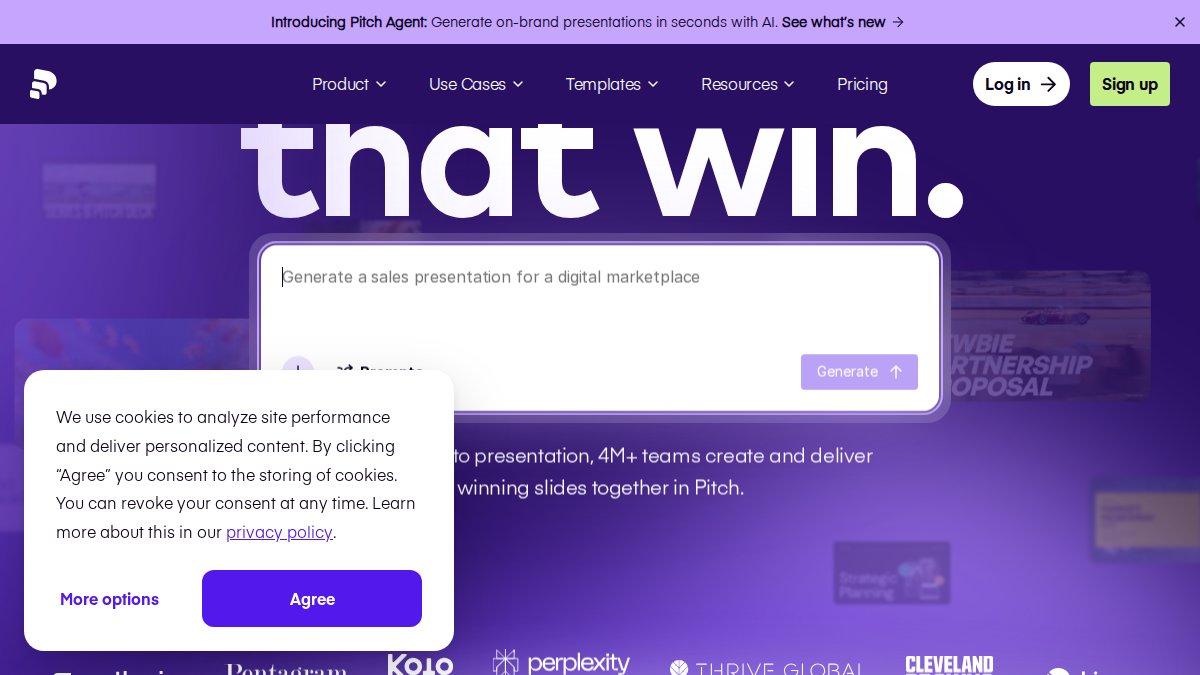
Pitch is built specifically for teams creating investor presentations. Real-time collaborative editing with cursor tracking, commenting threads, and an AI Agent that generates on-brand slides makes it the most modern choice for distributed founding teams.
The standout feature is engagement analytics. After you share a pitch deck link with investors, Pitch tracks how long they spend on each slide, where they drop off, and which sections get replayed. This data is invaluable for post-pitch strategy: if investors consistently skip your market size slide, you know to lead with that in follow-up conversations.
Pricing starts at $20/month (billed annually) for Pro, with a free tier covering basic functionality. The free plan includes 3 editable presentations, enough to test the platform before committing.
The template library is curated specifically for startup pitches with high design quality. Team workspaces with folder organization and shared asset libraries prevent version chaos. However, pricing scales quickly for larger teams, and the free tier is limited for team collaboration.
4. Canva: Design Templates and Drag-and-Drop Customization
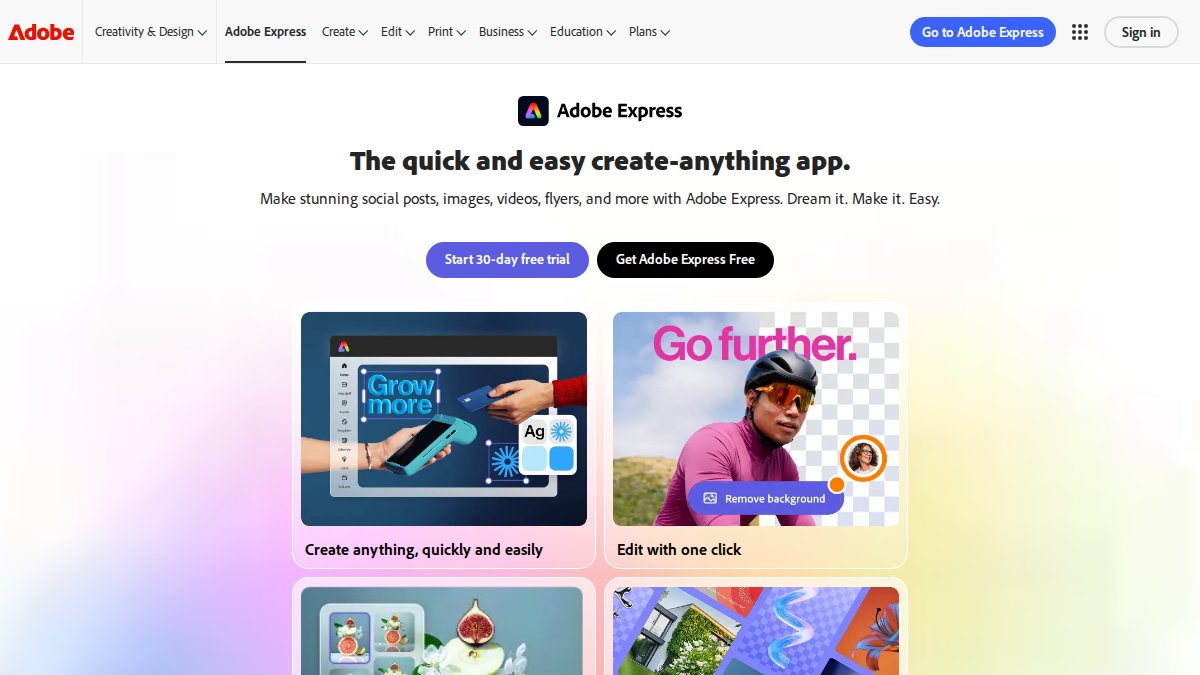
Canva is the accessibility king. With over 610,000 premium templates and a drag-and-drop editor requiring zero design training, Canva lets anyone create visually competent presentations. Pricing is $12.99/month for Pro (billed monthly) or $119.99/year, with a generous free tier.
The real advantage for teams is Brand Kits: upload your logo, fonts, and color palette once, and every design automatically uses your brand assets. This prevents visual inconsistency that plagues team presentations.
Collaboration features include shared folders and comment threads. Magic Write and Magic Media (Canva's generative AI tools) generate text suggestions and create images from descriptions, though quality varies.
The learning curve is essentially flat, anyone can create something professional in 15 minutes. Integration with Google Drive and Dropbox means you can pull data visualizations from spreadsheets directly into slides.
5. Adobe Express: Brand-Consistent Presentations at Scale
Adobe Express integrates directly with the Creative Cloud ecosystem, making it the natural choice for teams already using Photoshop, Illustrator, or After Effects. Pricing starts at $9.99/month for Premium, with a free tier.
Generative AI features powered by Adobe Firefly create images and text directly within presentations with high output quality. One-click resizing lets you create multiple format variations from a single presentation. Brand Kits ensure consistency, and governance controls prevent accidental use of outdated logos or off-brand colors.
If you're already in Adobe Creative Cloud, Express feels native. The Firefly integration is powerful for creating custom imagery. However, some workflows require additional paid subscriptions, and teams need a 2-seat minimum.
6. Visme: Data Visualization and Interactive Elements
Visme excels at data visualization with interactive charts, infographics, and brand governance tools. It's ideal for data-heavy pitches in fintech, analytics, or SaaS where visualizing complex information is critical to your narrative.
Pitch Deck Design Tips for Maximum Impact
Creating a pitch deck is different from creating a presentation. Investors see dozens of pitches per month. Your deck needs to be memorable, clear, and strategically structured.
Limit yourself to 10-15 slides maximum. Every slide should answer one question or make one point. The best pitch decks move at a pace matching how quickly investors absorb information, roughly 2-3 minutes per deck.
Visual hierarchy matters more in pitch decks than any other presentation format. Use size, color, and positioning to direct attention to your most important message. If your revenue growth is the headline, make it visually dominant.
Visual Hierarchy and Data Visualization
The most common mistake is treating every piece of information as equally important. Your investor has 10 minutes, spending roughly 30 seconds per slide on average.
Use visual hierarchy to guide attention. The largest element should be your most important point. The smallest should be supporting detail. A single accent color used consistently is more powerful than a rainbow.
Data visualization transforms abstract concepts into immediate understanding. Instead of saying "we've grown 40% year-over-year," show a chart with a clear upward trajectory. Instead of listing five competitive advantages, create a positioning matrix showing where you sit relative to alternatives.
Storytelling Through Slide Flow
A pitch deck is a narrative arc. The sequence matters as much as individual slides. Professional pitch decks follow a proven structure: problem, solution, market size, business model, traction, team, ask.
This structure works because it mirrors how investors evaluate opportunities. They need to understand what problem you're solving, why your solution is better, whether the market is large enough, and whether you can execute.
The best pitch deck tools provide templates following this structure. Pitch's templates are specifically designed for investor decks. Beautiful.ai's templates enforce this structure through Smart Slides. Use your slides to guide your verbal narrative, each slide should prompt a 30-60 second explanation.
Investor-Specific Analytics and Engagement Tracking
Most pitch deck tools treat analytics as an afterthought. Pitch integrates engagement tracking from the start: when you share a deck link, you see exactly how long investors spend on each slide, where they pause, and which sections they skip.
This data is strategically valuable. If your market size slide gets skipped by three investors, strengthen that section or lead with different information. If investors spend twice as long on your team slide as your product slide, your team credentials are your strongest asset.
Engagement analytics also inform follow-up strategy. If an investor spent 15 minutes reviewing your deck, they're clearly interested. If they spent 90 seconds, expect a polite pass. Beyond Pitch, few tools offer this level of analytics.
How to Choose the Right Pitch Deck Tool
Selecting the best tools for creative pitch decks depends on three variables: your team's design capability, your timeline, and what you're pitching.
If you're a solo founder with no design background and a two-week deadline, Beautiful.ai or Pitch will get you to a professional-looking deck fastest. If you're a creative team pitching a creative project, The Moon Unit's bespoke approach creates a competitive advantage. If you're a larger team with existing brand assets, Canva or Pitch work well. If you need advanced data visualization, Visme excels. If you're already in Adobe Creative Cloud, Adobe Express integrates seamlessly.
| Scenario | Best Tool | Why |
|---|---|---|
| Solo founder, tight deadline | Beautiful.ai or Pitch | Speed + professionalism without design skills |
| Creative pitch (film, music, branded content) | The Moon Unit | Demonstrates creative excellence as part of pitch |
| Larger team, brand consistency critical | Canva or Pitch | Collaboration + brand asset management |
| Data-heavy pitch (fintech, analytics, SaaS) | Visme | Superior data visualization and interactivity |
| Already using Adobe Creative Cloud | Adobe Express | Native integration + Firefly AI |
| Investor engagement tracking priority | Pitch | Only mainstream tool with built-in analytics |
The best tools for creative pitch decks are chosen based on what you're pitching, who you're pitching to, and how much time you have. For creative professionals and production teams, The Moon Unit's collaborative approach, combining bespoke design strategy, bold visuals, and deadline-proof execution, ensures your pitch deck demonstrates creative capability from the first slide. Research from McKinsey on pitch deck effectiveness shows that visual presentation quality significantly influences investor decision-making. Starting with The Moon Unit means your deck elevates your narrative, making winning easier.
Frequently Asked Questions
What is the best tool for creating a pitch deck if I'm not a designer?
Beautiful.ai and Canva are excellent choices for non-designers. Beautiful.ai uses AI to automatically format slides as you add content, ensuring a polished look without design skills. Canva offers an intuitive drag-and-drop interface with thousands of professionally designed pitch deck templates. For teams needing collaboration, Pitch combines ease of use with modern design templates and real-time editing capabilities.
Can I use AI pitch deck generators for investor presentations?
Yes, AI pitch deck generators like Beautiful.ai can create professional, investor-ready presentations quickly. These tools use generative AI to format slides, suggest layouts, and generate supporting content. However, the best approach combines AI efficiency with human storytelling, use the tool to structure your deck, then customize messaging to reflect your unique value proposition and market insights.
What features should a startup pitch deck tool include?
Look for tools that offer: professional design templates, real-time collaboration for team feedback, data visualization capabilities, engagement analytics to track investor interest, export flexibility (PDF, PPTX), and brand customization options. Pitch and Beautiful.ai excel here, offering investor-specific templates, collaboration features, and analytics to measure how investors engage with your presentation.
How do pitch deck templates help with storytelling and visual impact?
Quality pitch deck templates provide proven structures for narrative flow, ensuring your story progresses logically from problem to solution to traction. Templates also enforce visual consistency, hierarchy, and professional aesthetics without requiring design expertise. Tools like Canva and Pitch offer industry-specific templates that guide you through essential slides, problem, market size, business model, while maintaining visual impact through consistent typography, color schemes, and data visualization.
Should I prioritize collaboration features or design customization in a pitch deck tool?
For startups in active fundraising, prioritize collaboration and speed. Tools like Pitch enable real-time team editing and investor feedback loops, critical when iterating quickly. If your pitch deck is a one-time, highly branded asset (common for production companies and agencies), design customization matters more, consider Canva or The Moon Unit's bespoke creative support for standout visual treatment that elevates your narrative.
This article was written using GrandRanker